

Listen to the Podcast
Available on your favorite platforms
⬇️ Prefer to listen instead? ⬇️
- 61% of marketers say growing organic presence is their top inbound marketing goal.
- Pages ranking #1 in Google search have 3.8x more backlinks than those ranked below.
- 92.3% of global search queries go through Google.
- Automation tools can cut down the time spent creating manual SEO reports by up to 80%.
- Clear SEO reports with specific goals help link online results to actual business profit.
If you've ever opened a 30-page SEO report and felt completely overwhelmed—or worse, it didn't seem helpful—you're not alone. A good SEO report should do more than just show numbers. It should connect data to what the business wants to do, point out chances for improvement, and get real results.
Whether you run an agency, lead online marketing for a growing e-commerce business, or work as a freelance SEO, learning how to make an SEO report that's easy to understand, can grow with you, and focuses on return on investment is key.

What Is an SEO Report?
An SEO report is a document that shows how a website is doing in search engines based on several key performance indicators (KPIs). Instead of just showing analytics, a good SEO report brings that data together to tell a clear story about how things are going, what's hard, and where there are chances to do better.
Simply put, an SEO report should show:
- If people see your site in organic search — Do people find your brand in search results?
- What users do once they get to your pages — Do people spend time with your content?
- How search performance changes over time — What is getting bigger, what is getting smaller, and why?
- If your site is healthy from a technical view — Are there problems with Google seeing or listing your pages that might stop organic growth?
This document helps people in the business understand how SEO work connects to business goals, decide what to do next, and see if their investment is paying off.
The Point of SEO Reporting (More Than Just Showy Numbers)
Numbers like traffic and rankings can look good, but a helpful SEO report goes past these simple wins. Its main job is to help make smart choices, giving facts that help businesses:
- Show why SEO work is worth funding by linking SEO performance to sales or leads.
- Find technical or content problems that, if fixed, could bring more traffic from important keywords.
- Show how performance has gotten better over time to help see long-term progress and return on investment.
- See problems early before they get big, like pages not being listed by Google, lost links, or falling keyword spots.
- Support business growth plans, whether that's getting more leads, making more sales online, or reaching new areas.
One example: businesses that often use facts from SEO reports to make decisions are 1.7 times more likely to make more money year after year than they planned.
Main Numbers to Include in an SEO Report (and Why They Matter)
A good SEO report mixes numbers about technology, content, and how things are performing. Here’s a detailed look at the most important ones and what they tell you:
1. Organic Traffic
What it is: Visitors who come to your website from search results without paying for ads.
Why it matters: This is the main result of SEO. It shows if you are bringing in the right people.
See how traffic looks based on device (phone vs. computer), where users are, and how they got there to find out more.
2. Keyword Rankings & Visibility
What it is: Where your website shows up for certain words in search results.
Why it matters: If you don't show up for the words that lead to business, you are missing organic chances.
Point out where rankings got better, where they got worse, and new words you rank for—especially on the first page. Also, remember that the chance of someone clicking the #1 result in Google is about 27.6%.
3. Backlink Profile (New vs. Lost Backlinks)
What it is: How many good websites link back to pages on your site.
Why it matters: This is still one of the biggest things Google looks at for ranking. The more backlinks you have—especially from trusted sites—the better your site can show up in search.
Use tools like Ahrefs or SEMrush. Show trends in getting backlinks and how your Domain Rating score is growing.
4. Domain Authority & Page Authority
What it is: Scores (often from Moz) that guess how well a site or page can rank.
Why it matters: A rising DA shows that your overall SEO strength across your whole site is growing.
Track Domain Authority over time. Also, track page-level authority for your most important pages.
5. Page Load Speed
What it is: How long it takes for a page to fully show its content.
Why it matters: Core Web Vitals, which include speed, are known ranking signals. Pages that take a long time to load push visitors away and hurt sales or leads.
Use Google’s PageSpeed Insights or Lighthouse to check specific pages.
6. Bounce Rate
What it is: The part of visitors who leave after seeing just one page.
Why it matters: High bounce rates might mean the content isn't right for the user or the site is hard to use.
GA4 uses "Engaged Sessions" instead. But you can get an idea of bounce problems by looking at how many pages people look at and how long they stay.
7. Click-Through Rate (CTR)
What it is: The part of times your site shows up in search that leads to a click.
Why it matters: Falling CTRs might point to bad meta descriptions or titles, or more competition in search results.
Make CTR better by fixing titles, improving the snippets that show up in search, or trying structured data.
8. Conversion Rate
What it is: The part of users who do what you want them to do (buy something, sign up, etc.).
Why it matters: This directly links SEO to business results—it's very important for seeing return on investment.
Break this down by the page they landed on, where the keyword came from, or which piece of content led to the conversion to be clear.
9. Indexed Pages
What it is: Pages that Google has added to its list and can show in search results.
Why it matters: You can create content, but if Google doesn't list it, it has no chance of ranking.
Get this info from Google Search Console. Show any problems with pages being listed or issues Google had seeing them.
10. Top-Performing Pages
What it is: Pages that bring the most traffic, links, conversions, or time spent on the page.
Why it matters: These pages are doing great for your SEO. Copying how they are set up and what they are trying to do can be a fast way to get success across the site.
Use this list to help plan your next content work or when to update pages.

How to Create an SEO Report: Step-by-Step
Making an SEO report isn't just taking random data and putting it in a file. Here’s how to make one that’s clear, easy to read, and focuses on getting leads or sales.
Step 1: Figure Out Clear Goals and KPIs
Start by deciding:
- What are we trying to do? (Get more leads, sales, make people more aware of our brand)
- Who is this report for? (Marketing manager, CEO, client)
- What time periods matter? (Every month, every three months, for a specific effort)
The numbers you track should directly match these goals. If your business focuses on sales, traffic alone won’t be enough—you’ll need numbers about transactions too.
Step 2: Pick the Right Tools for Reporting
You need tools that give you both a broad view and specific details. Here’s a common set of tools:
- Google Analytics 4 (GA4): For site traffic, goals completed, and how users spend time on your site.
- Google Search Console: Track how often your site shows up, clicks, average spot in search, and if pages are listed.
- Ahrefs / SEMrush / Moz: See how you compare to others, trends in backlinks, site scores.
- Looker Studio: Make reports that update in real-time and you can click on.
- Screaming Frog or Sitebulb: Do deeper technical checks like how many clicks it takes to get to a page or find broken links.
Step 3: Get and Arrange the Data
Use:
- APIs or connections (like Supermetrics) to get big sets of data automatically
- Spreadsheets for tracking things by hand or doing custom checks
- Dashboards for seeing the main points in a simple way
Always make the columns clear. Add ways to see how things compare to past times (month over month, quarter over quarter, or year over year).
Step 4: Pick a Report Design
Choose how the report will look based on who will read it:
- PDF reports or slides for reports that won't change
- Interactive Looker Studio dashboards for live reports you can click into
- Spreadsheets for people who work with a lot of data
Keep the same order every time:
- Summary for leaders
- Look at the main numbers (KPIs)
- How different traffic sources performed
- Keyword gains and losses
- Problems found with the site's technology
- Things to do next
Step 5: Explain What the Data Means
Numbers are more useful when you add smart thoughts about them.
- “Traffic went down 12% this month, mostly because of the time of year and fewer visits to the blog.”
- “Bounce rate went down from 65% to 40% after we changed the headlines and meta descriptions.”
- “We got back 22 backlinks by fixing old outreach links.”
Make it clear what is happening and what needs to happen next.
Step 6: Make It Automatic and Easy to Copy
Once you know how the report should look, use automation to send it out on time.
- Set up email reports to send out regularly using Looker Studio or GA4.
- Use tools like Zapier to pull data from tools like SEMrush or GSC into reporting programs.
- Make templates you can use again for each client or site.
Making your SEO reporting automatic means less repeated work and reports that look the same every time.

SEO Report Templates You Can Use Right Away
Save time by using templates that work for different situations:
Monthly Client SEO Report
This includes the main numbers, ideas for changes to pages or the site's technology, and how you compare to others.
Executive Summary SEO Report
This just shows the most important numbers on one page—it's good for CEOs, CMOs, or investors.
E-commerce SEO Report
Focuses on:
- Visits from organic search for each product or type
- How much money was made and the value of online sales conversions
- If product keywords show up in search
- How much money each keyword or page brought in
Local SEO Report
Tracks:
- If rankings in the local search list or map got better
- How the Google Business Profile is doing
- If the site is ready for voice search
- If local keywords show up in search

Changing SEO Reports for Each Business
SEO is different for everyone. Your report should fit the situation and what each business needs:
Real Estate
- Keyword rankings for specific areas
- Traffic from local lists online
- How performance looks on phones in search
- How people use listing pages
B2B SaaS
- Content actions (booking demos, downloading papers)
- Leads from content meant for people ready to buy versus those just looking
- Searches for your brand and if competitors show up for those terms
Healthcare
- Search terms with location in mind (“doctor near me”)
- If question/answer parts are listed by Google (to help with voice search)
- Tracking sensitive actions (like making doctor visits)
Reports made for the specific business are more useful, easier to understand, and show the value of SEO better.

Making SEO Reports Easy to Get (Even for People Not in SEO)
Using technical words puts people off. Make it simpler by:
- Writing in simple words: Say “Views went up because headlines were better,” instead of “SERP visibility expansion.”
- Using charts instead of tables when you can
- Adding a "Main Points" summary at the top
- Linking the numbers back to sales, questions, or business wins
Remember: the report is as much about talking clearly as it is about numbers.
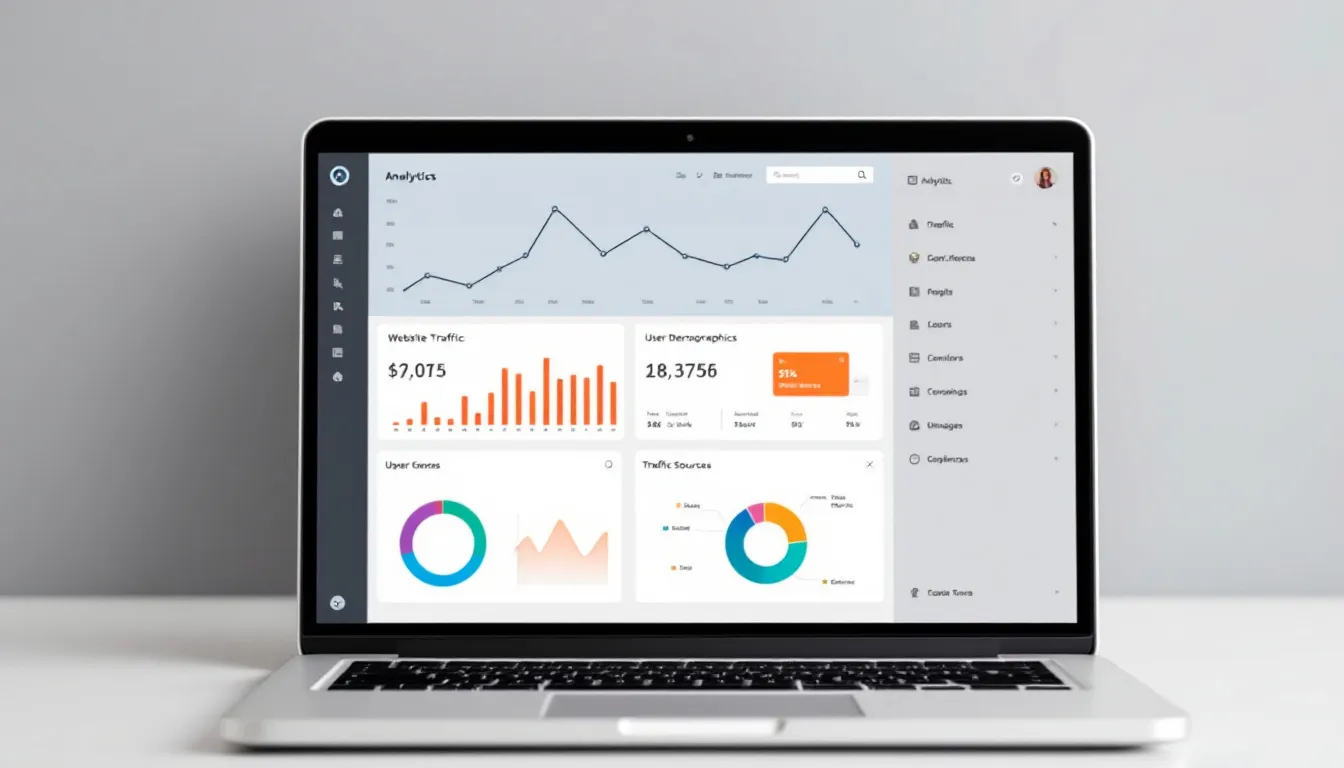
Tools We Suggest for Making Good SEO Reports
- Google Analytics 4 & Search Console: The main place for your data
- Looker Studio: For reports you can change how they look
- Ahrefs / SEMrush / Moz: Tools for deeper checks and looking at others
- Screaming Frog/Sitebulb: Tools for checking if Google can see your site and how easy it is to use
- Supermetrics / Zapier / APIs: Tools to make reporting automatic
- SEO Clarity or ContentHarmony: Tools that help connect content and performance

Making SEO Reporting Automatic to Save Time
Making things automatic isn’t just good—it’s needed when you work with many clients or have a big team.
- Use Looker Studio to automatically get data from GA4/GSC.
- Set up automated emails with PDF reports or dashboards for clients.
- Link SEO tools using API (like Ahrefs + Sheets).
- Use reports that look like your or your client’s brand without extra work.
As a bonus: making things automatic means fewer mistakes and faster reports.
Putting SEO Reports Into Your Bigger Content Plan
SEO shouldn’t be separate from other work. Use the data from SEO reports to:
- Find blog types that get the most leads or sales
- Point out pages that need new content
- Get ideas for new content based on search words that are getting popular
- Connect wins with internal links to plans for related content
- Plan main articles or pages to help reach new keyword goals
To sum it up: your SEO report becomes a guide for planning your content.
Best Ways to Do SEO Reporting
- Link reports to what the business wants to do, not just SEO targets
- Send reports at set times (every month/three months)
- Use past results: compare data to see how much things got better
- Add steps people should take at the end (what comes next?)
- Add branding—logos, colors, site styles matter

Mistakes to Not Make in SEO Reporting
- Putting too many numbers in reports that aren't needed
- Showing numbers but not saying what they mean
- Not looking at how things were before or using past results to compare
- Not connecting data to client or company goals
- Not checking how people use different devices (like phones vs. computers)
Last Thoughts: What Makes an SEO Report Great?
- A clear way it's put together
- It lines up with business plans
- It tells a story with visuals
- It points to things that need doing
- It can be made automatic and used for many sites or clients
In the end, a great SEO report helps companies get results—not just show up higher in search. It’s more than just saying what happened; it’s a plan for online growth.
Written by
Rocket Agents
Part of the Rocket Agents team, helping businesses convert more leads into meetings with AI-powered sales automation.


Ready to Convert More Leads?
See how Rocket Agents can help you respond to leads instantly and book more meetings.