
Back to News
Email Deliverability in 2026: The Complete Guide to Landing in the Inbox, Not Spam
Rocket Agents Team
March 16, 2026
#email-deliverability#spam-prevention#dkim#dmarc#inbox-placement#email-warmup
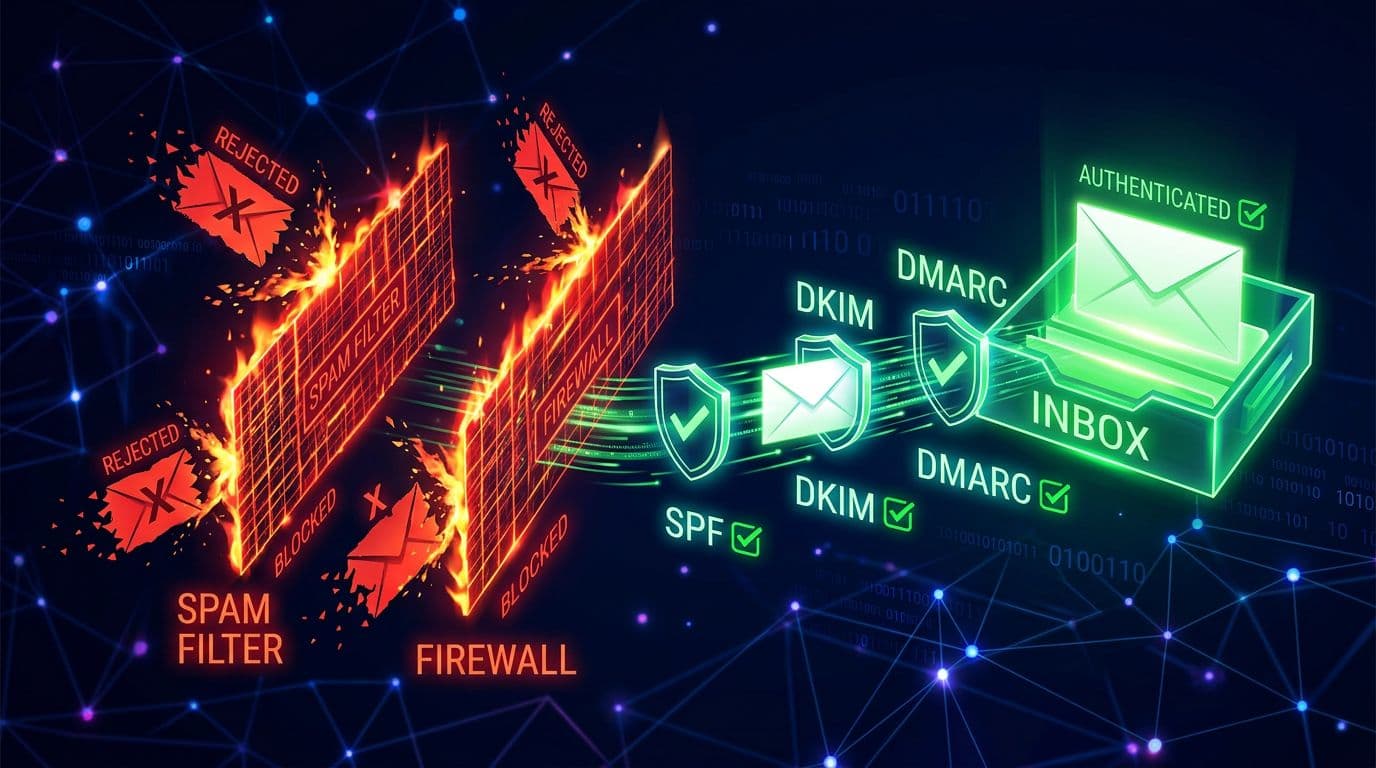
Every day, billions of emails are sent. Most never reach the inbox. They land in spam folders, get silently dropped, or bounce back entirely. For sales teams relying on outbound email, deliverability is no longer a nice-to-have skill — it is the single most important factor determining whether your pipeline grows or stalls.
In 2026, inbox providers are smarter, stricter, and less forgiving than ever. This guide covers everything you need to know to consistently land in the inbox.
Why Deliverability Matters More Than Ever
The landscape shifted dramatically in early 2024 when Google and Yahoo rolled out strict new sender requirements. Bulk senders (anyone sending more than 5,000 emails per day) were required to authenticate with SPF, DKIM, and DMARC. One-click unsubscribe became mandatory. Spam complaint rates above 0.3% started triggering blocks.
Those changes were just the beginning. Throughout 2025 and into 2026, inbox providers have continued tightening the screws:
- Microsoft adopted similar authentication mandates for Outlook and Hotmail, requiring SPF, DKIM, and DMARC for senders exceeding 5,000 daily messages.
- AI-powered spam filters now analyze behavioral signals, writing patterns, and sender history far beyond simple keyword matching.
- Engagement-based filtering has become the dominant model. If recipients don't open or reply to your emails, providers assume they don't want them — and start routing you to spam.
- Shared IP reputation means that if your sending infrastructure neighbors are spamming, your emails suffer too.
The bottom line: technical setup alone won't save you. Deliverability in 2026 demands a holistic approach combining authentication, infrastructure, content strategy, and ongoing monitoring.
Email Authentication: SPF, DKIM, and DMARC Explained
Authentication protocols tell inbox providers that you are who you claim to be. Without them, your emails are treated as suspicious by default.
SPF (Sender Policy Framework)
SPF is a DNS record that lists which mail servers are authorized to send email on behalf of your domain. When a receiving server gets an email from your domain, it checks your SPF record to verify the sending server is on the approved list.
How to set it up: Add a TXT record to your domain's DNS. It looks something like:
v=spf1 include:_spf.google.com include:sendgrid.net ~all
This says "Google and SendGrid are allowed to send for my domain; treat everything else with suspicion."
Common mistakes:
- Including too many lookups (SPF has a 10-lookup limit)
- Using
+allinstead of~allor-all, which effectively authorizes everyone - Forgetting to add all your sending services
DKIM (DomainKeys Identified Mail)
DKIM adds a cryptographic signature to every email you send. The receiving server checks this signature against a public key published in your DNS records. If the signature matches, the email hasn't been tampered with in transit.
How it works: Your email server signs outgoing messages with a private key. The corresponding public key is published as a DNS TXT record. Receiving servers verify the signature, confirming the message is authentic and unaltered.
Why it matters: DKIM is the strongest authentication signal. Unlike SPF, which only validates the sending server, DKIM validates the actual message content. It survives email forwarding, which SPF often does not.
DMARC (Domain-based Message Authentication, Reporting & Conformance)
DMARC ties SPF and DKIM together with a policy that tells receiving servers what to do when authentication fails. It also provides reporting so you can see who is sending email using your domain.
A basic DMARC record:
v=DMARC1; p=quarantine; rua=mailto:dmarc-reports@yourdomain.com; pct=100
The three policy levels:
p=none— Monitor only, don't take action (good for starting out)p=quarantine— Send failing emails to spamp=reject— Block failing emails entirely
Best practice: Start with p=none to collect data, review your DMARC reports to identify legitimate senders, add them to your SPF record, then gradually move to p=quarantine and eventually p=reject.
Domain Warm-Up: The Foundation of Sender Reputation
You wouldn't run a marathon without training. Similarly, you shouldn't send thousands of emails from a brand-new domain or mailbox. Inbox providers are deeply suspicious of new sending sources that suddenly blast high volumes.
Why Warm-Up Matters
Every new domain and mailbox starts with zero reputation. Inbox providers watch your early sending behavior to decide whether you're legitimate. If you send too many emails too fast, you'll be flagged as a spammer before you even start.
A Practical Warm-Up Schedule
Week 1-2: Send 10-20 emails per day to highly engaged contacts (people you know will open and reply). Focus on one-to-one conversations, not mass sends.
Week 3-4: Gradually increase to 30-50 emails per day. Continue prioritizing recipients who engage. Mix in a few new contacts.
Week 5-8: Scale to 50-100 emails per day. By now, you should have a positive sending history. Monitor bounce rates and spam complaints closely.
Week 9+: Continue scaling gradually. Never increase volume by more than 20-30% week over week. Sudden spikes trigger automated defenses.
Key Warm-Up Principles
- Engage real people. Warm-up emails should generate real opens and replies. Some teams use warm-up networks that exchange emails between real inboxes, but organic engagement is always better.
- Diversify your recipients. Don't send all warm-up emails to Gmail. Spread across Gmail, Outlook, Yahoo, and corporate domains.
- Monitor from day one. Track inbox placement rates, not just delivery rates. An email that lands in spam counts as "delivered" but accomplishes nothing.
Mailbox Rotation and Daily Sending Limits
Sending all your outbound from a single mailbox is the fastest way to burn your reputation. Modern outbound email demands a distributed approach.
Why Rotation Matters
Inbox providers track sending volume per mailbox. A single address sending hundreds of emails per day looks like spam, regardless of how good your content is. By distributing sends across multiple mailboxes, each individual address maintains a natural-looking volume.
How Rotation Works
A well-designed rotation system maintains a pool of warmed-up mailboxes. Each email is sent from whichever mailbox has the lowest daily send count, ensuring even distribution. If you have 20 mailboxes and need to send 200 emails, each mailbox sends roughly 10 — a volume that looks completely normal to inbox providers.
Daily Sending Limits
Every mailbox should have a daily cap that it never exceeds. Conservative limits protect your reputation:
- New mailboxes (first 30 days): 10-20 emails per day
- Warmed mailboxes (1-3 months): 25-40 emails per day
- Established mailboxes (3+ months): 40-60 emails per day
These limits might seem low, but they're the reality of modern deliverability. The math works in your favor when you scale horizontally: 20 mailboxes at 40 emails each gives you 800 sends per day with every individual mailbox looking perfectly normal.
Sticky Assignment
When a lead has already received an email from a specific mailbox, follow-up emails should come from the same address. Switching senders mid-conversation is confusing for recipients and looks suspicious to filters.
Content That Triggers Spam Filters vs. Content That Doesn't
Spam filters in 2026 are powered by machine learning models that evaluate content holistically. But certain patterns still reliably trigger filtering.
What Triggers Spam Filters
- Excessive links. More than 2-3 links in an outbound email raises red flags. Tracking links, especially from known tracking domains, are doubly suspicious.
- Image-heavy emails. Emails that are mostly images with little text look like marketing blasts. Outbound prospecting emails should be text-only or near-text-only.
- Spam trigger words used unnaturally. Words like "free," "guarantee," "act now," or "limited time" aren't automatic spam triggers, but they contribute to an overall spam score when combined with other signals.
- HTML-heavy formatting. Complex HTML templates with lots of styling, tables, and embedded images look like bulk marketing. Plain text or minimal HTML performs better for outbound.
- Identical content. Sending the exact same email to hundreds of people is a clear spam signal. Every message needs meaningful personalization.
- URL shorteners. Services like bit.ly are heavily abused by spammers. Use full URLs or your own branded domain for links.
What Works
- Conversational tone. Write like a human, not a marketing department. Short paragraphs, natural language, direct questions.
- Genuine personalization. Reference the recipient's company, role, recent activity, or industry. Not just "Hi {firstName}" — real personalization that shows you've done your research.
- Minimal formatting. Plain text emails consistently achieve better inbox placement than HTML-heavy alternatives.
- Clear sender identity. Your "from" name, email address, and signature should be consistent and professional.
- A single, clear call to action. One link, one ask. "Are you free for 15 minutes next Tuesday?" beats a wall of bullet points with three different CTAs.
Engagement Signals and Sender Reputation
Inbox providers now use recipient behavior as the primary input for filtering decisions. Your sender reputation is essentially a scorecard of how recipients interact with your emails.
Positive Signals
- Opens. Recipients opening your emails tells providers the content is wanted. (Note: Apple Mail Privacy Protection and other privacy features have reduced open tracking reliability, but opens still matter at scale.)
- Replies. The strongest positive signal. A reply tells the inbox provider this is a real conversation, not spam. Even a "not interested" reply helps your reputation.
- Moving from spam to inbox. When recipients rescue your email from spam, it's a powerful signal that your messages are wanted.
- Adding you to contacts. This essentially whitelists your address for that recipient.
Negative Signals
- Spam complaints. The kiss of death. Even a 0.1% complaint rate is concerning. Above 0.3% and you're in serious trouble.
- Deleting without reading. If recipients consistently delete your emails without opening them, providers take notice.
- Low engagement over time. Sending to people who never engage gradually erodes your reputation, even without explicit complaints.
Managing Your Reputation
- Sunset unengaged contacts. If someone hasn't opened or replied to your last 4-5 emails, stop emailing them. Continuing to send to unengaged contacts actively harms your reputation.
- Make it easy to opt out. A clear unsubscribe mechanism isn't just legally required — it prevents spam complaints. People who can't easily unsubscribe hit the spam button instead.
- Monitor feedback loops. Major inbox providers offer feedback loop programs that notify you when recipients mark your email as spam. Use them.
How AI Optimizes Deliverability
Artificial intelligence has transformed email deliverability from a manual, intuition-driven practice into a data-driven discipline. Here's how modern AI systems improve inbox placement.
Intelligent Send Timing
AI analyzes recipient behavior patterns to determine optimal send times. Rather than blasting emails at 9 AM when everyone else does, AI can identify when each individual recipient is most likely to engage. Spreading sends throughout the day also prevents the volume spikes that trigger provider defenses.
Dynamic Volume Management
Smart systems monitor deliverability signals in real time and automatically adjust sending volume. If bounce rates spike or engagement drops, the system throttles back before damage is done. If everything looks healthy, it can gradually increase volume to maximize reach.
Content Optimization
AI can generate personalized email content at scale while ensuring each message is unique. This solves the duplicate-content problem that plagues template-based outreach. By analyzing which content patterns generate the best engagement, AI continuously improves messaging effectiveness.
Automated Mailbox Health Monitoring
AI systems can continuously monitor the health of each sending mailbox, tracking metrics like bounce rates, spam complaints, and engagement rates on a per-mailbox basis. Unhealthy mailboxes can be automatically rotated out of the sending pool before they drag down your overall reputation.
Predictive List Scoring
Before sending to a new contact, AI can estimate the likelihood of a bounce, complaint, or engagement based on the email address pattern, domain reputation, and historical data. Low-quality addresses can be filtered out before they ever receive a message, keeping your sending metrics clean.
Bounce Handling and List Hygiene
Poor list hygiene is one of the most common — and most preventable — causes of deliverability problems.
Types of Bounces
Hard bounces occur when an email address doesn't exist. The mailbox has been deleted, the domain is invalid, or the address was never real. Hard bounces should be immediately and permanently removed from your list. Continuing to send to hard-bounced addresses is one of the fastest ways to destroy your reputation.
Soft bounces occur when the address exists but the message can't be delivered — the mailbox is full, the server is temporarily down, or the message is too large. Soft bounces can be retried, but if the same address soft-bounces repeatedly (3+ times), treat it as a hard bounce.
List Hygiene Best Practices
- Verify before sending. Use email verification services to check addresses before adding them to your outreach list. Catch invalid addresses before they generate bounces.
- Remove on first hard bounce. No second chances. A hard bounce means the address is dead.
- Track soft bounces. Three soft bounces to the same address within 30 days should trigger automatic removal.
- Regularly clean your list. Even verified addresses go bad over time. People leave companies, change roles, and abandon email addresses. Re-verify your list quarterly at minimum.
- Honor unsubscribes immediately. Not just because CAN-SPAM and GDPR require it, but because continuing to send after an unsubscribe request dramatically increases spam complaints.
- Watch for spam traps. Inbox providers seed invalid addresses into public lists. Sending to these addresses is an immediate reputation killer. The only defense is good list hygiene — never scrape addresses, and always verify before sending.
Putting It All Together
Email deliverability in 2026 isn't about any single tactic. It's a system where every component reinforces the others:
- Authenticate properly with SPF, DKIM, and DMARC so providers trust your identity.
- Warm up gradually so providers see consistent, trustworthy sending behavior.
- Distribute sends across multiple mailboxes to maintain natural volumes.
- Write like a human with genuine personalization and minimal formatting.
- Earn engagement by sending relevant, valuable messages to the right people.
- Leverage AI to optimize timing, volume, content, and monitoring.
- Maintain list hygiene by removing bounces, honoring unsubscribes, and verifying addresses.
Get these fundamentals right, and your emails will consistently reach the inbox. Ignore any one of them, and you'll find your messages disappearing into the void of spam folders and blocked sender lists.
The teams that treat deliverability as a core competency — not an afterthought — are the ones building sustainable, scalable outbound pipelines. In 2026 and beyond, landing in the inbox is the prerequisite for everything else.
Written by
Rocket Agents Team
Part of the Rocket Agents team, helping businesses convert more leads into meetings with AI-powered sales automation.

Ready to Convert More Leads?
See how Rocket Agents can help you respond to leads instantly and book more meetings.